Search everywhere
Always at the top of Home. Inside a spot, it only looks in that spot and what’s nested in it.
Home inventory for iPhone
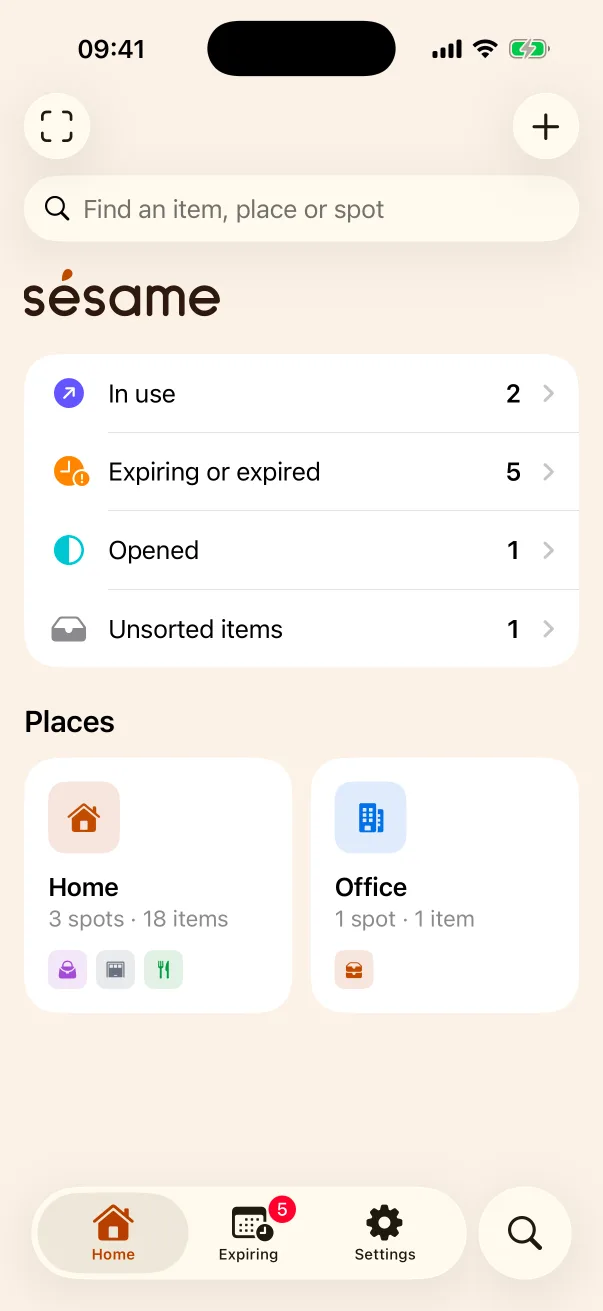
Sésame keeps track of every place and spot in your home, from the pantry shelf to the gym bag. Tap a tag on a box to see what’s in it, find anything by searching, and get a reminder before food or skincare expire.
How it works
Start with a place, like Home or Office. Inside it, add spots as deep as you need: a room, a shelf, a box, a bag.
Stick an NFC tag on it, or print a QR label from the app. The tag only holds a link, so it never needs redoing when the contents change.
Tap Scan, hold your iPhone to the tag, and that spot opens with everything in it listed. In the app, every spot shows a strip of what’s inside, too.

Expiry dates
Point the camera at the date on the pack and Sésame reads it. Then it reminds you when you choose: the day before, a week before, three months before.
Day and month could swap. Your region picks the first reading, and the other one is a tap away.
Also: mark opened packs with how much is left, and scan barcodes to fill in the name from Open Food Facts.
Take out, put back
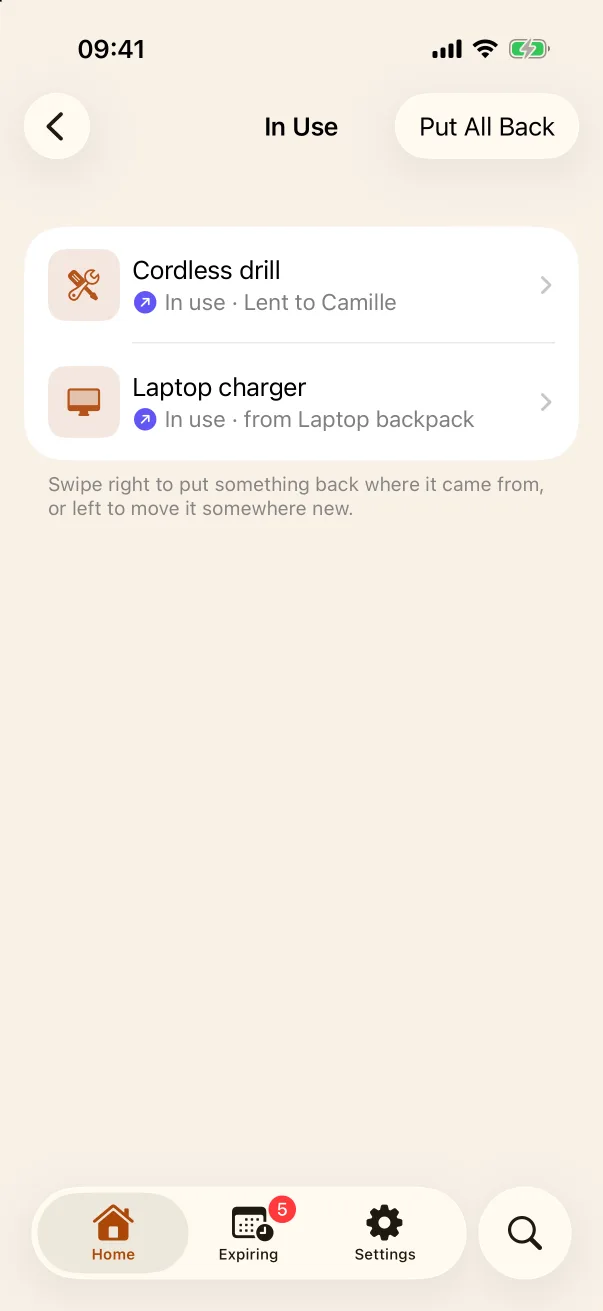
Taking something out keeps its spot. The drill you lent out stays on the In Use list until it’s home, and putting it back is one swipe.
Swipe a row to the right, or use its button. Items that are out fade in the strip above.
Always at the top of Home. Inside a spot, it only looks in that spot and what’s nested in it.
Fills in food, cosmetics and household products from the free Open Food Facts databases. No key needed.
Photograph something and Sésame shortlists the items it looks like, matched on your iPhone.
“Where did I put my passport in Sésame?” Siri answers with the spot, without opening the app.
Expiring Soon on your Home Screen and Lock Screen, plus quick ways to add an item or scan a tag.
Snap a product and let Claude, ChatGPT or Gemini fill in the details, with your own API key. Off unless you add one.
Your inventory lives on your iPhone and nowhere else. Sésame has no account, no server and no analytics. It only goes online when you ask it to: to look up a barcode, or to send a photo to the AI provider you picked.
Sésame is coming to the App Store for iPhone. Questions in the meantime? The support page has answers.